
Why Shazam fails on remixes and edits (and how to find them)
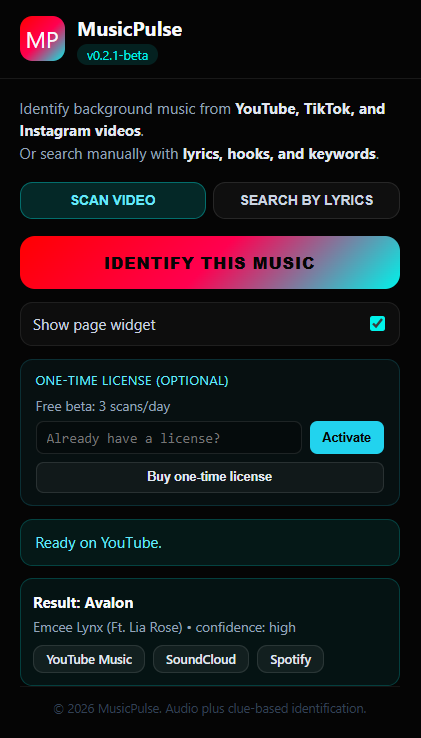
Need it fast? Watch the 46-second demo of MusicPulse identifying an unofficial edit in real-time.
We have all been there: you are watching a viral video on YouTube Shorts, TikTok, or Instagram Reels and a fantastic song plays. You press Shazam or open Google Sound Search, hold your phone up to the speaker, and wait. Either the app returns "No Result", or worse, it identifies the original 1980s studio track when what you actually heard was a high-tempo 150 BPM sped-up remix with heavy reverb.
Why do industry-standard tools fail on social media edits, and how does modern hybrid recognition solve the problem?
1. How acoustic fingerprinting works
To understand why traditional tools fail, it helps to understand how acoustic fingerprinting was designed over 20 years ago:
- Constellation maps: Apps like Shazam analyze audio frequencies over time, identifying peak spectral intensity points to form a unique visual "constellation map" (fingerprint).
- Database matching: The app checks this fingerprint against a massive database of official studio releases from labels and distribution services (Apple Music, Spotify).
- Exact alignment: If the time intervals between peak frequencies match an entry in the catalog, the track is identified.
2. Why social video edits break acoustic fingerprints
Social media audio is rarely pure studio audio. Content creators alter tracks to fit video pacing or evade automated copyright muting:
- Tempo shifts & pitch changes: Speeding up a track by 20% (sped-up/nightcore) compresses the frequency peaks over time, destroying time-interval alignment.
- Reverb, pitch-downs, & pitch shifts: Slowed + reverb edits alter harmonic structure, making the fingerprint look entirely different from the studio reference master.
- Underground uploads: Viral remixes often exist only on SoundCloud or YouTube user uploads, not in commercial distribution catalogs.
- Voiceover noise & sound effects: Gameplay audio, meme sound effects, and talking heads distort the constellation points.
Shazam was built to answer: "What official CD/digital release is playing on the radio?" It was not built to answer: "What user-edited 12-second SoundCloud pitch shift is playing in this TikTok clip?"
3. The solution: Hybrid recognition (Sound + Clues)
Solving the edit identification problem requires moving beyond sound-only matching. That is why modern tools like MusicPulse rely on a 3-layer hybrid recognition architecture:
- Layer 1 (Audio First): MusicPulse captures clean audio from the browser tab for fast fingerprinting.
- Layer 2 (Social Trail & Context): When audio is altered, Layer 2 reads contextual clues around the clip — lyric snippets, video title, creator description, and YouTube comment threads.
- Layer 3 (Replay Links): Rather than limiting results to official Apple Music or Spotify albums, MusicPulse returns direct replay links to SoundCloud, YouTube Music, and Spotify where the specific edit actually lives.
- Deep Scan (Source Separation): When voices or noise overwhelm the clip, Deep Scan separates the vocal and instrumental stems before analyzing the audio.
Summary: Choosing the right tool for the job
When listening to clean radio audio or a live DJ set playing official releases, Shazam and Siri remain excellent choices. But when you are watching TikToks, YouTube Shorts, or Instagram Reels with pitch-shifted audio, a hybrid extension like MusicPulse is essential to track down the exact version.