
How to identify a song from Instagram Reels
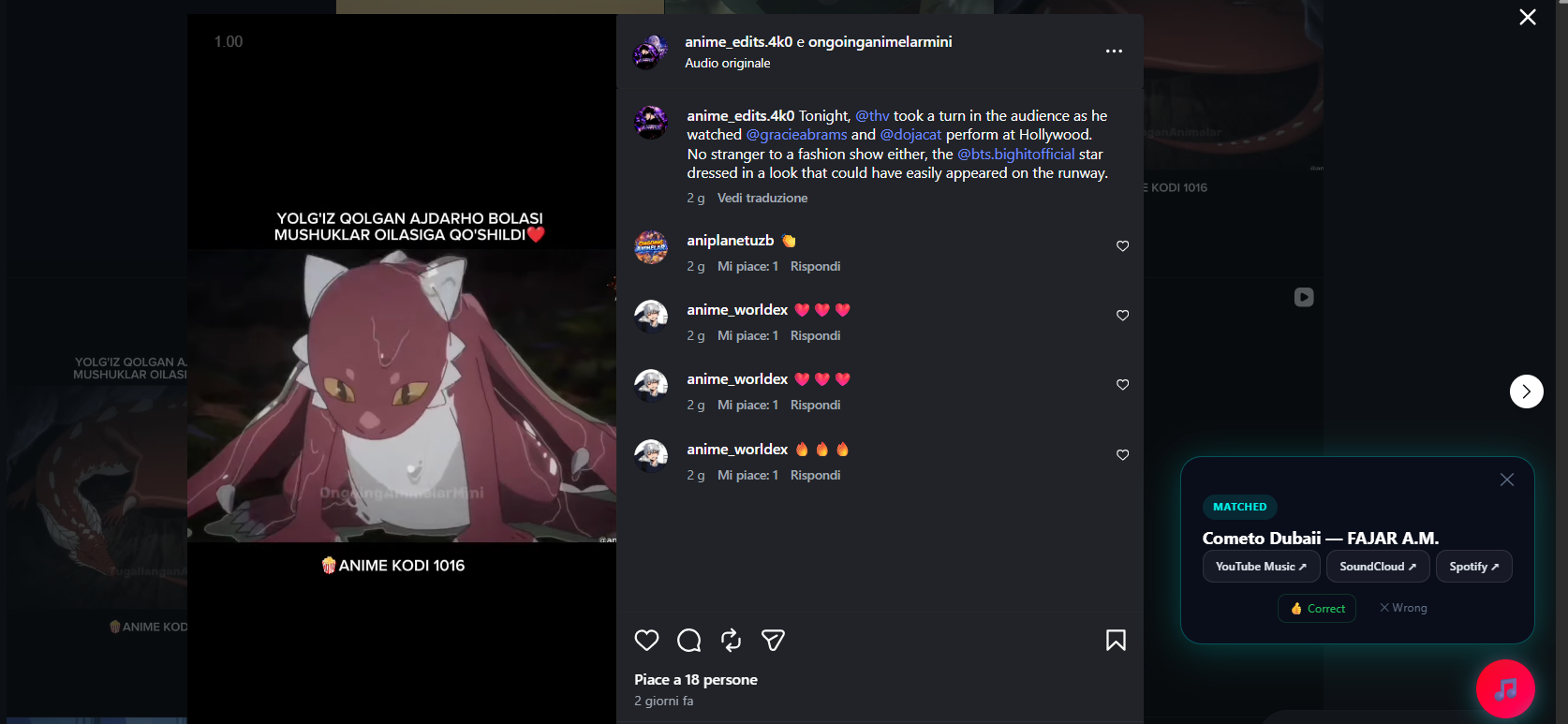
Need it fast? Watch the 46-second demo of MusicPulse identifying an edit on Instagram Reels.
Instagram Reels is one of the biggest drivers of viral music discovery today. However, finding the specific song or edit playing behind a Reel can be tricky—especially when the creator uploads custom audio tagged simply as "Original audio by username".
Whether you are browsing Reels on your phone or on desktop, here is how to track down the exact song title, artist, or remix variant.
1. Tap the audio attribution line at the bottom
At the bottom of every Instagram Reel, next to a small music note icon, is the audio attribution line:
- Official Track Tag: If it displays "Artist Name · Song Title", tapping it opens Instagram's Audio Page, where you can save the audio or listen to full previews on Instagram.
- "Original Audio" Tag: When a Reel shows "Original audio", Meta's automated recognition either failed to match the clip or the user uploaded an unofficial edit. Tapping the audio tag shows other Reels using the same clip, but does not give you the original track title.
2. Check the caption and comments
If the Reel uses "Original audio", creators and viewers frequently leave clues in text format:
- Read the caption: Look for hashtags (e.g.
#songname,#remix,#spedup) or direct credits in the caption. - Check pinned comments: Many creators answer the top question ("What's the song?") by pinning a comment with the track title and artist.
- Filter comment replies: Search for phrases like "track ID", "song name", or "remix" in the comment section.
3. The problem with altered Reels audio
Most trending audio clips on Instagram Reels are modified versions of popular songs. Creators speed up audio, add heavy bass boost, pitch down vocals (slowed + reverb), or chop up chorus hooks:
Standard catalog tools like Shazam search for exact waveform matches against official store releases. When a Reel speeds up or pitches down a track, acoustic matchers often return "No Result" or misidentify it as a completely different instrumental.
4. Identify Instagram Reels music instantly on Desktop Chrome
If you watch Instagram Reels on desktop or web browser, you can use MusicPulse—a dedicated Chrome extension engineered to identify the exact remix, edit, or sped-up version used in social video clips.
How MusicPulse handles Instagram Reels:
- Hybrid Engine: Layer 1 captures clean audio directly from the tab. If the audio is pitched or edited, Layer 2 analyzes surrounding lyrics, captions, and social comments.
- Replay Links: Layer 3 returns direct links to YouTube Music, SoundCloud, or Spotify where the exact edit can be streamed.
- Deep Scan Fallback: If dialogue or sound effects overlap the music, Deep Scan separates the background music stem for a clean match.
Summary steps for Reels song identification
- Tap the audio line at the bottom of the Reel for official catalog tags.
- Inspect captions and comments for creator credits or user track IDs.
- For custom edits or sped-up clips, use MusicPulse in your Chrome browser to catch sound + social clues.